A focus blocker that's actually beautiful.
Apple-inspired liquid glass on every screen — in seven themes. This is the real app: switch tabs and themes right here.
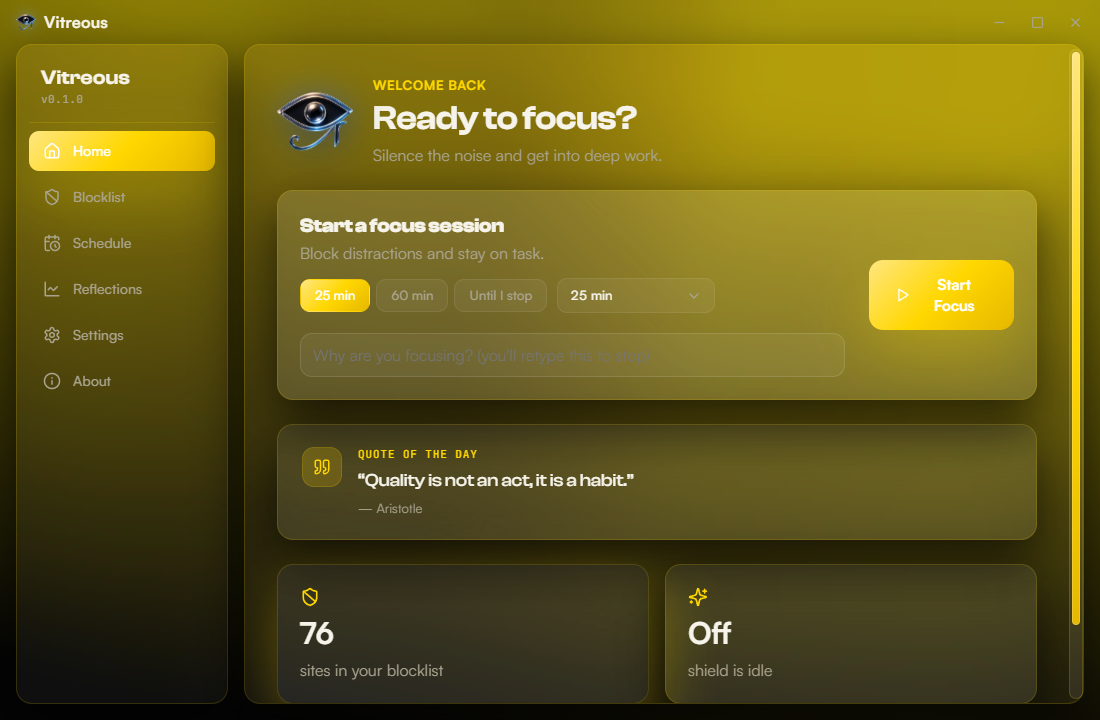
Focus that doesn't negotiate.
On demand or on a schedule
Block sites instantly, or set recurring focus hours that start themselves — even before you open the app.
Locked by design
Every session locks. No off switch for a moment of weakness — the friction lives where it counts.
Liquid-glass interface
A calm, modern surface that's genuinely pleasant to open. Beautiful is a feature.
Local & private
Everything's a file on your disk. No accounts, no telemetry, no cloud.
Browser-aware
Held at the system level plus helper extensions for Chrome, Firefox, Brave and Edge.
Free & open source
No paywall, no subscription, ever. Read the code, trust what runs.
Three steps to a quieter screen.
Add your sites
List what pulls you away — socials, news, the usual rabbit holes.
Start or schedule a lock
Block now for a set time, until you stop, or let a schedule do it.
Stay focused
It holds. You get your attention back — and the time with it.
Get Vitreous.
Free forever · open source · Windows 10/11 · ~92 MB